Travel preparation
How to use an airport bus ticket machine at Incheon Airport
A practical sequence for choosing a destination, buying or printing a ticket, and finding the boarding location shown on your airport bus ticket.

In the previous guide, we covered where to board and drop off airport buses at Incheon Airport. If you missed it, see the boarding and drop-off guide first.
Now lets walk through how to buy tickets quickly at the airport kiosks. You can purchase on site in just a few taps.
First, where are the kiosks?
Kiosks are installed near the airport bus boarding areas at each terminal. You will typically find multiple machines in one spot.
Tip: Click a photo to open the full-size image in a new tab.
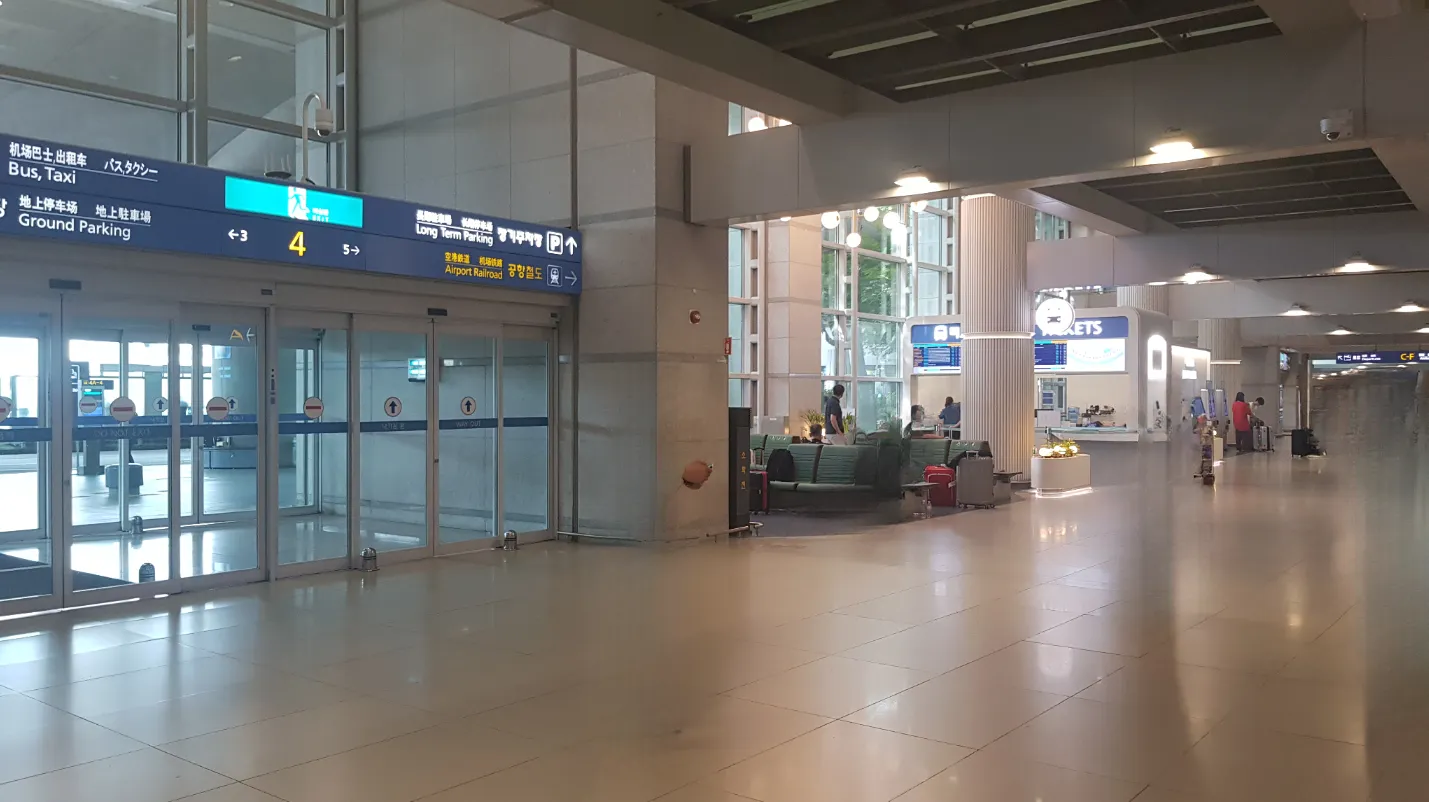
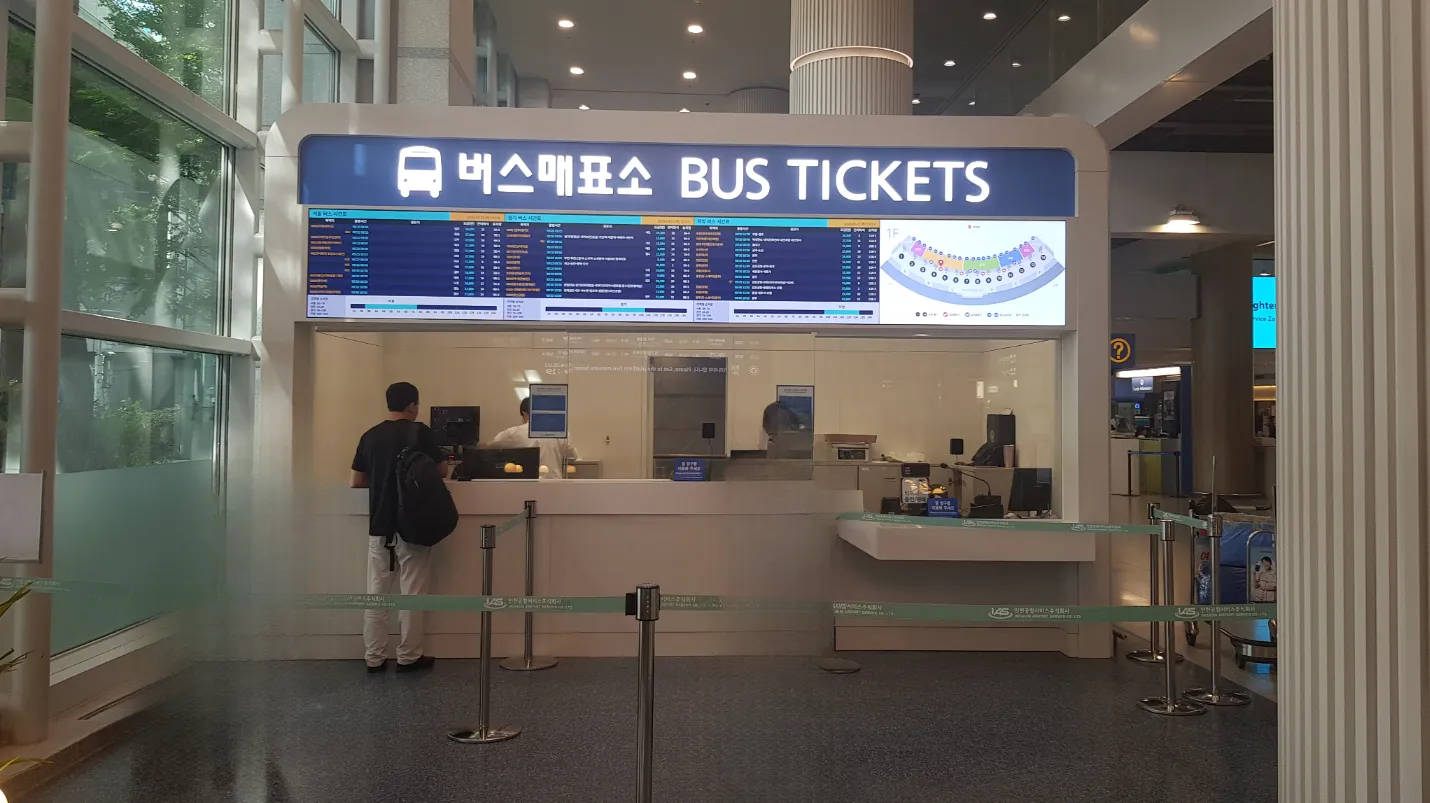
1. Terminal 1 kiosk locations
Look for kiosks near the bus ticket counters and boarding bays on the arrivals level.
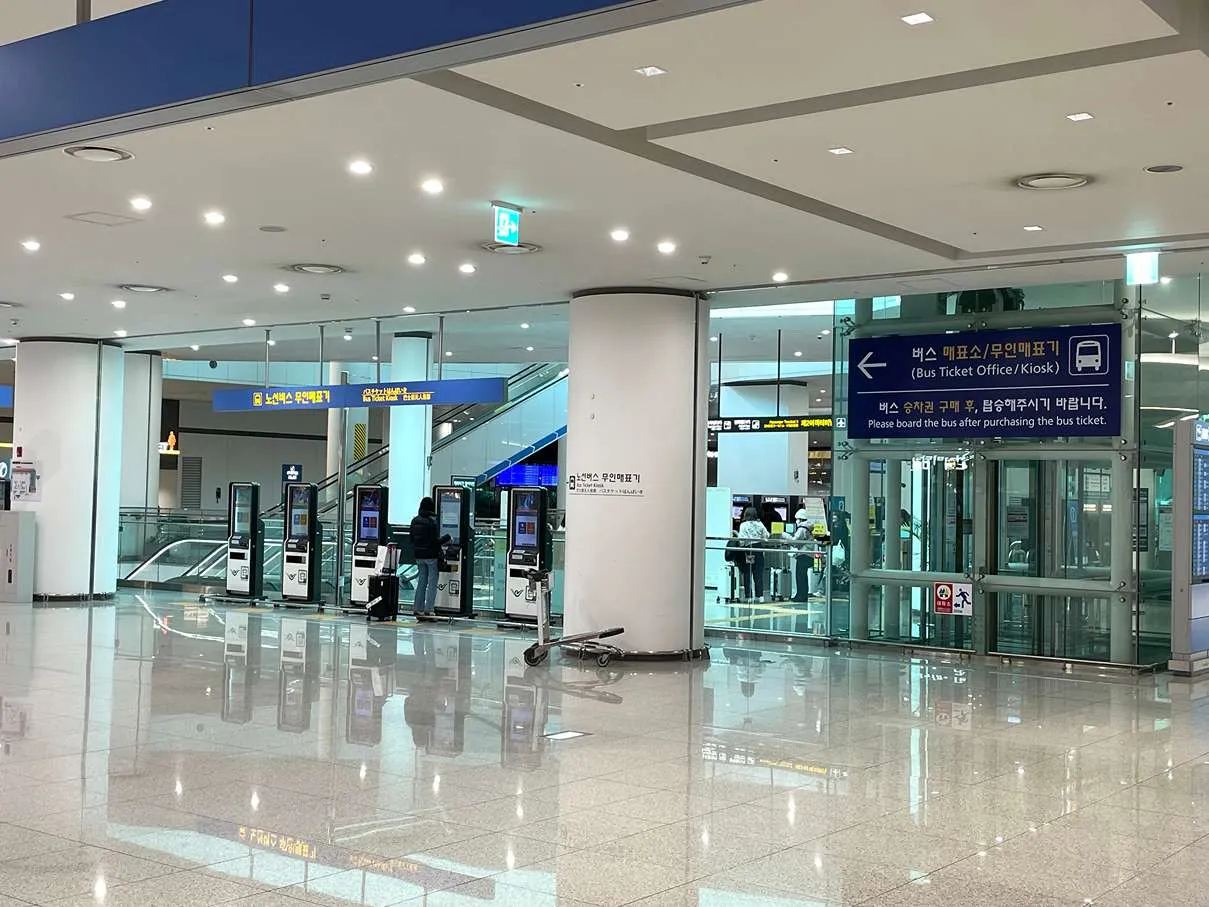
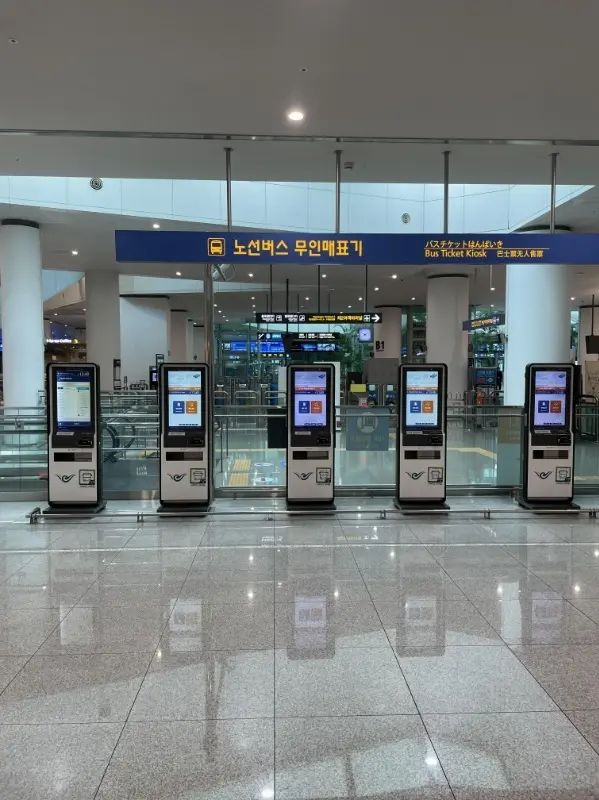
2. Terminal 2 kiosk locations
Kiosks are clustered inside the Transportation Center on B1, near the ticket counter.
How to use the kiosk (step by step)
The screens may look slightly different, but the flow is almost always the same. Follow the steps below to buy a ticket on site.
Before you start
Bring a card. Most airport bus kiosks are card-only.
Choose language and service
On the main screen, choose your language, then tap the on-site ticket purchase option.
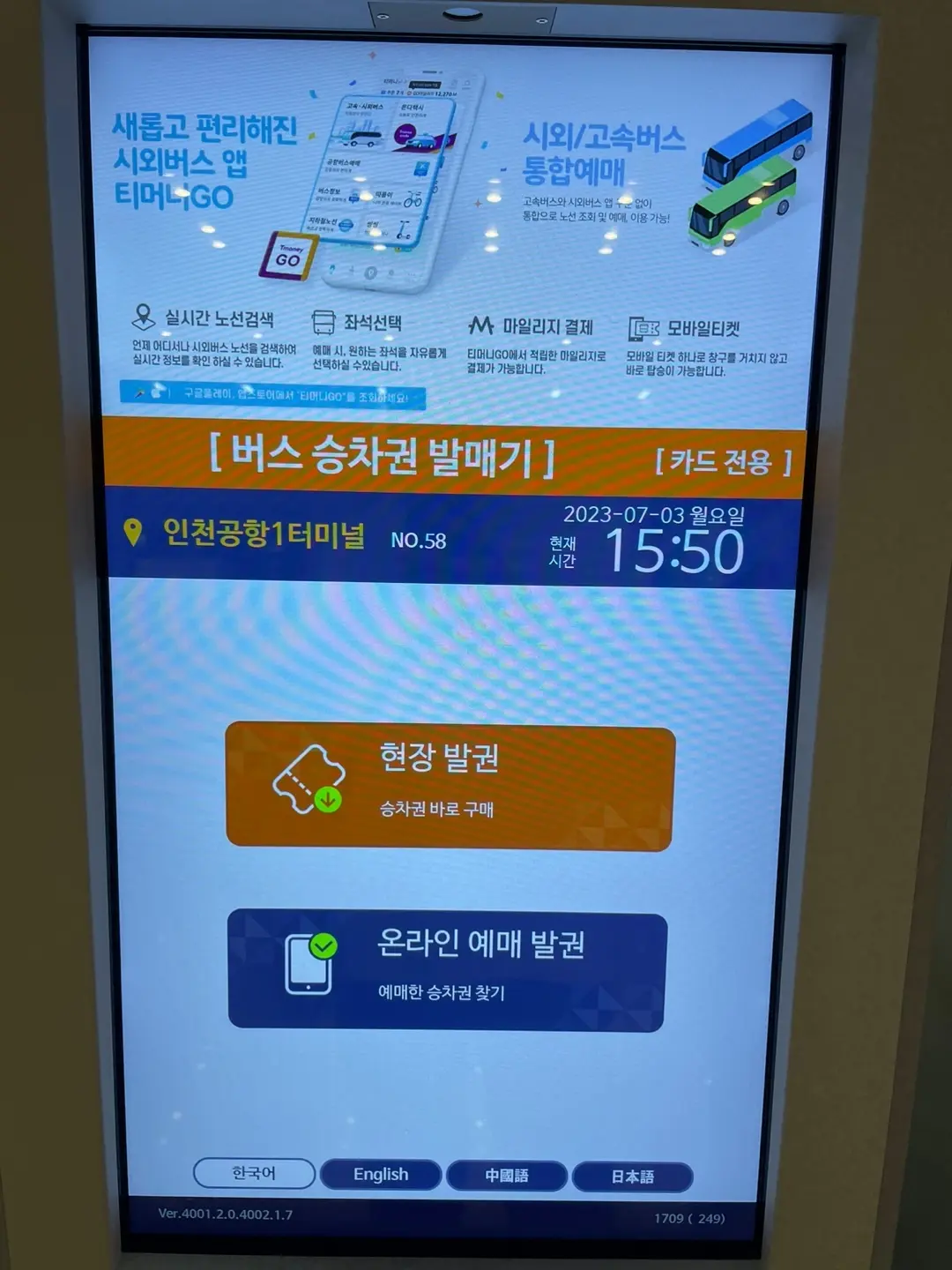
Example of the kiosk main screen.
On-site ticketing flow
1. Select destinationChoose your destination by region or search for the stop name.
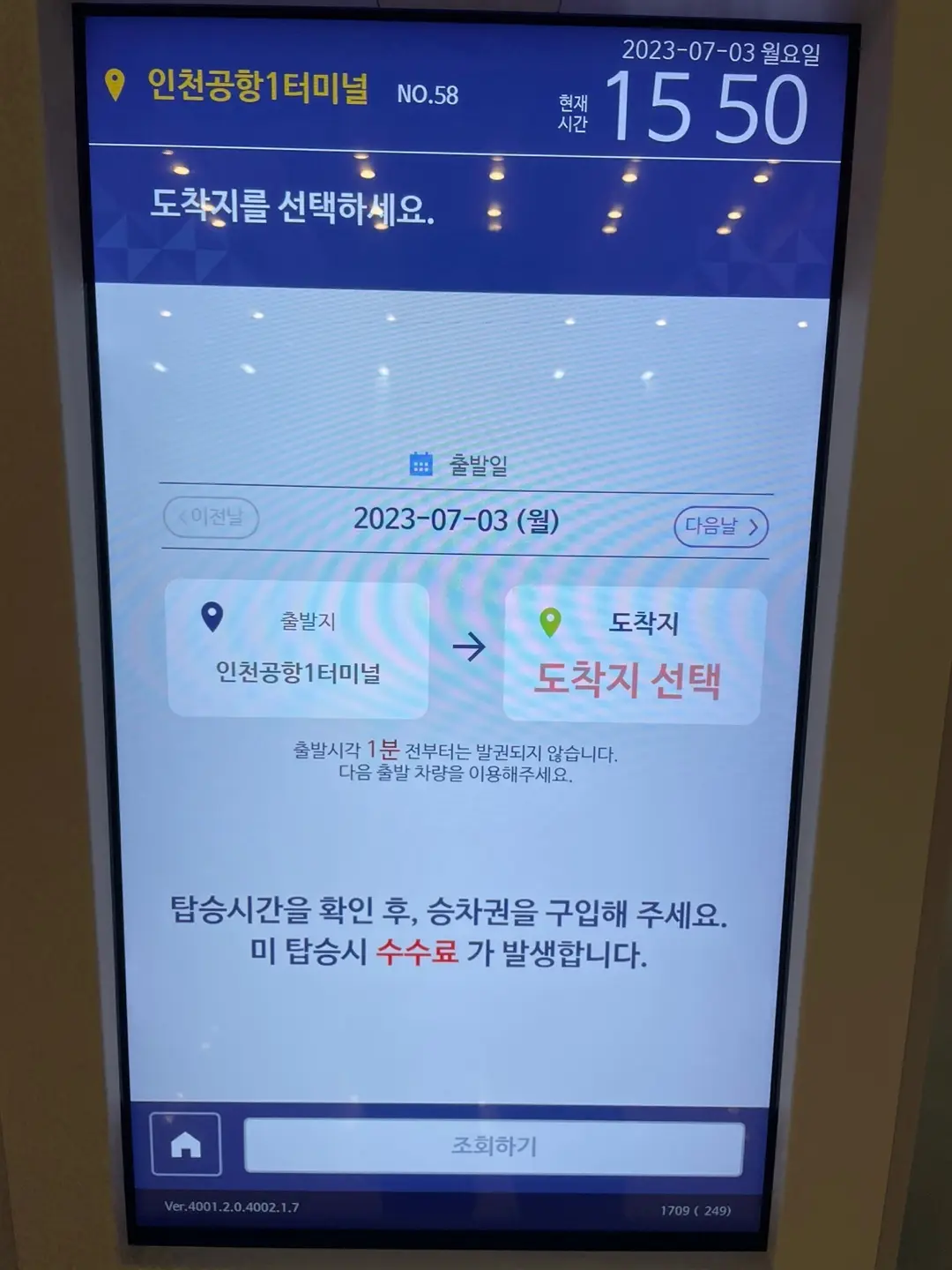
Destination selection by region.
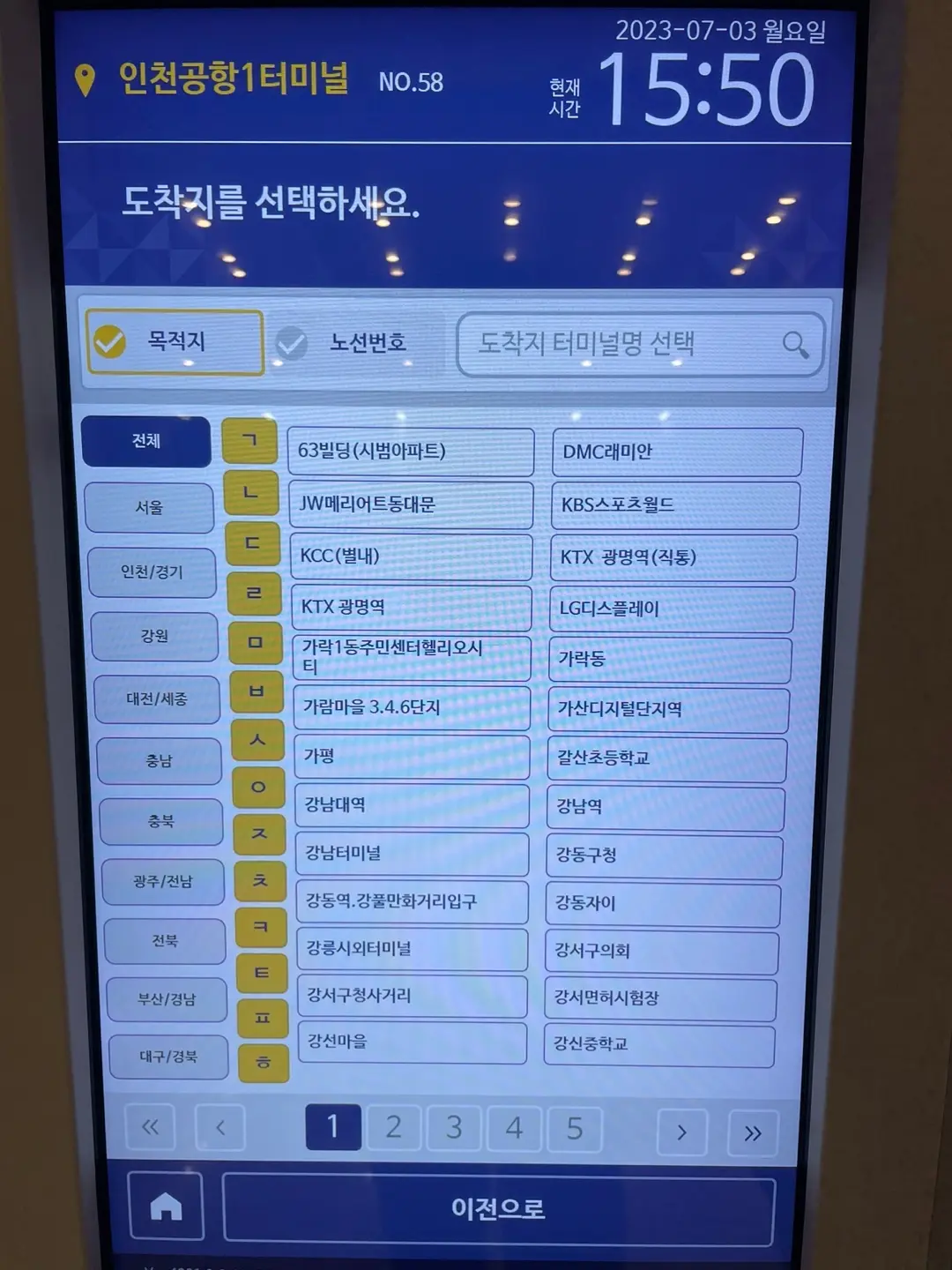
Stop list for a selected region.
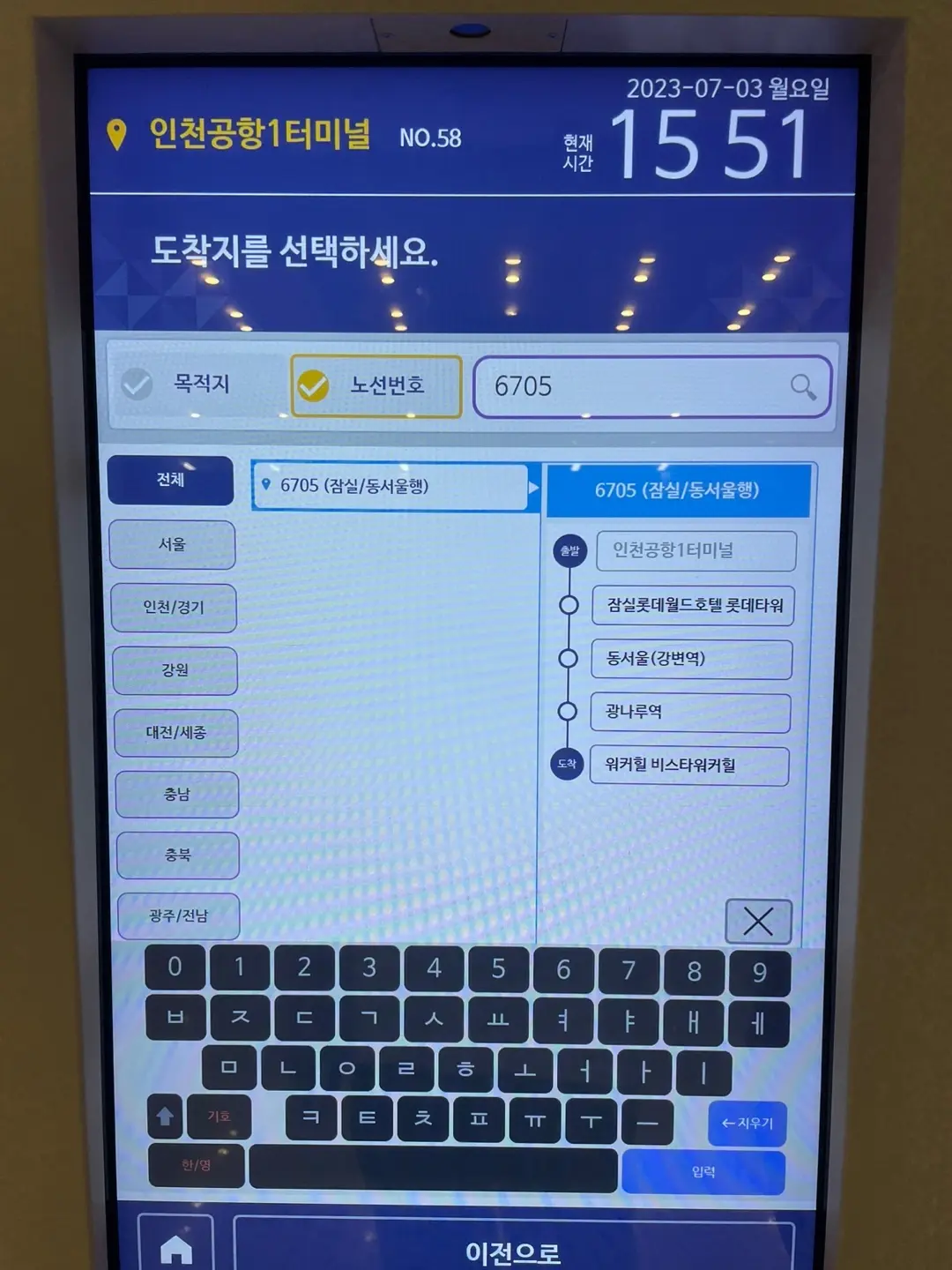
Confirm your route details.
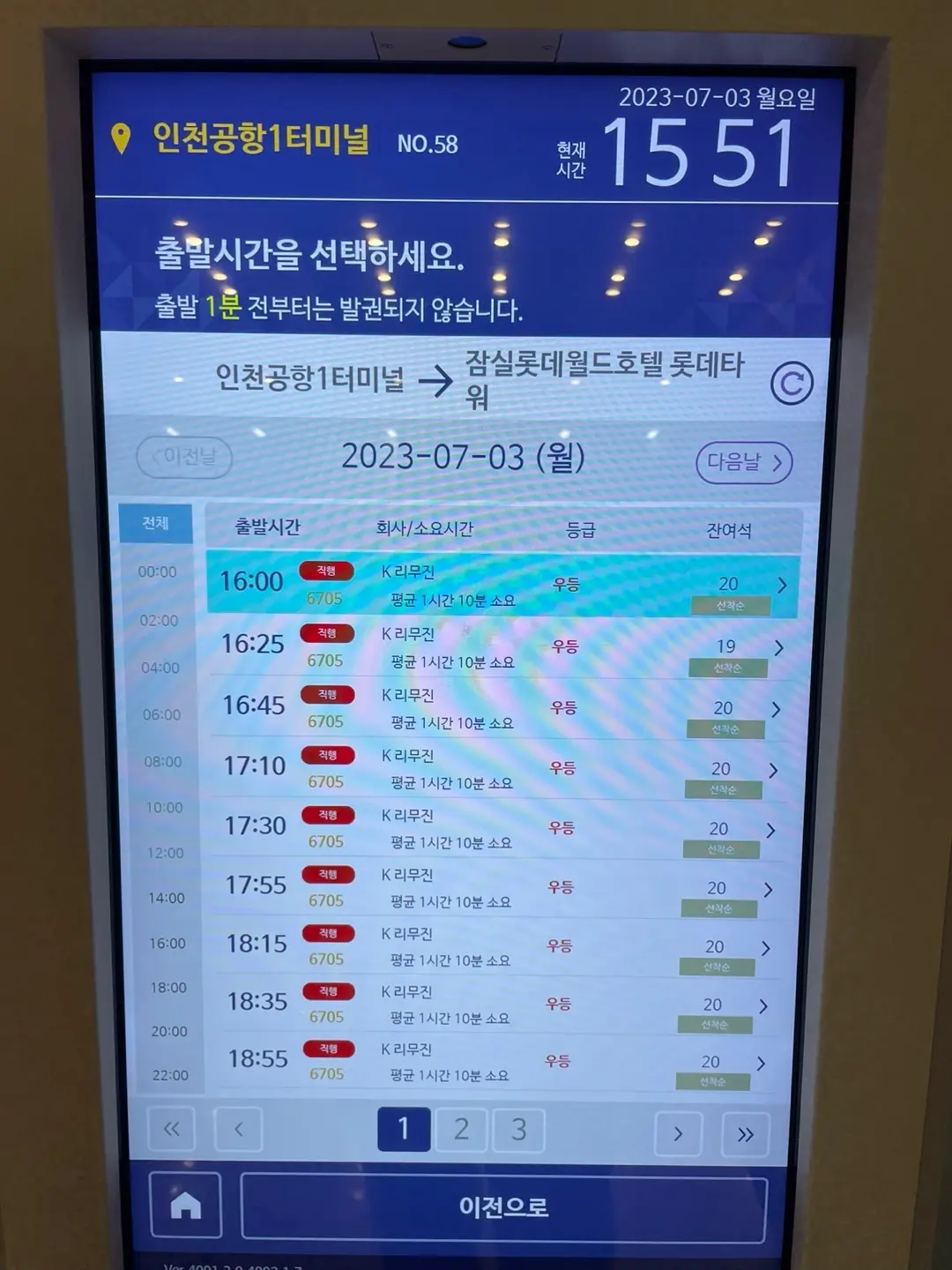
2. Select departure timeChoose a departure time and check remaining seats.
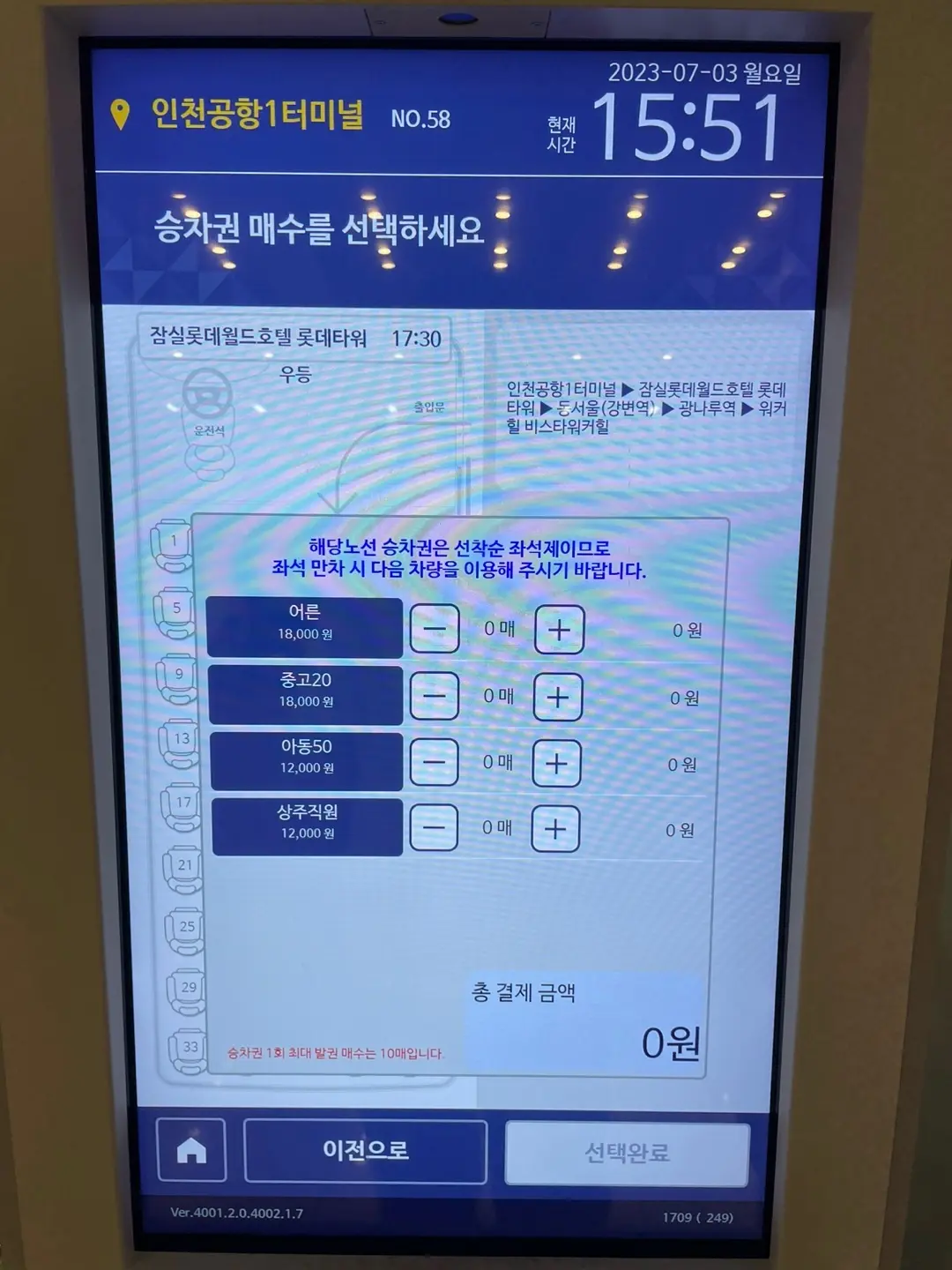
Choose the number of passengers. Some routes allow seat selection.
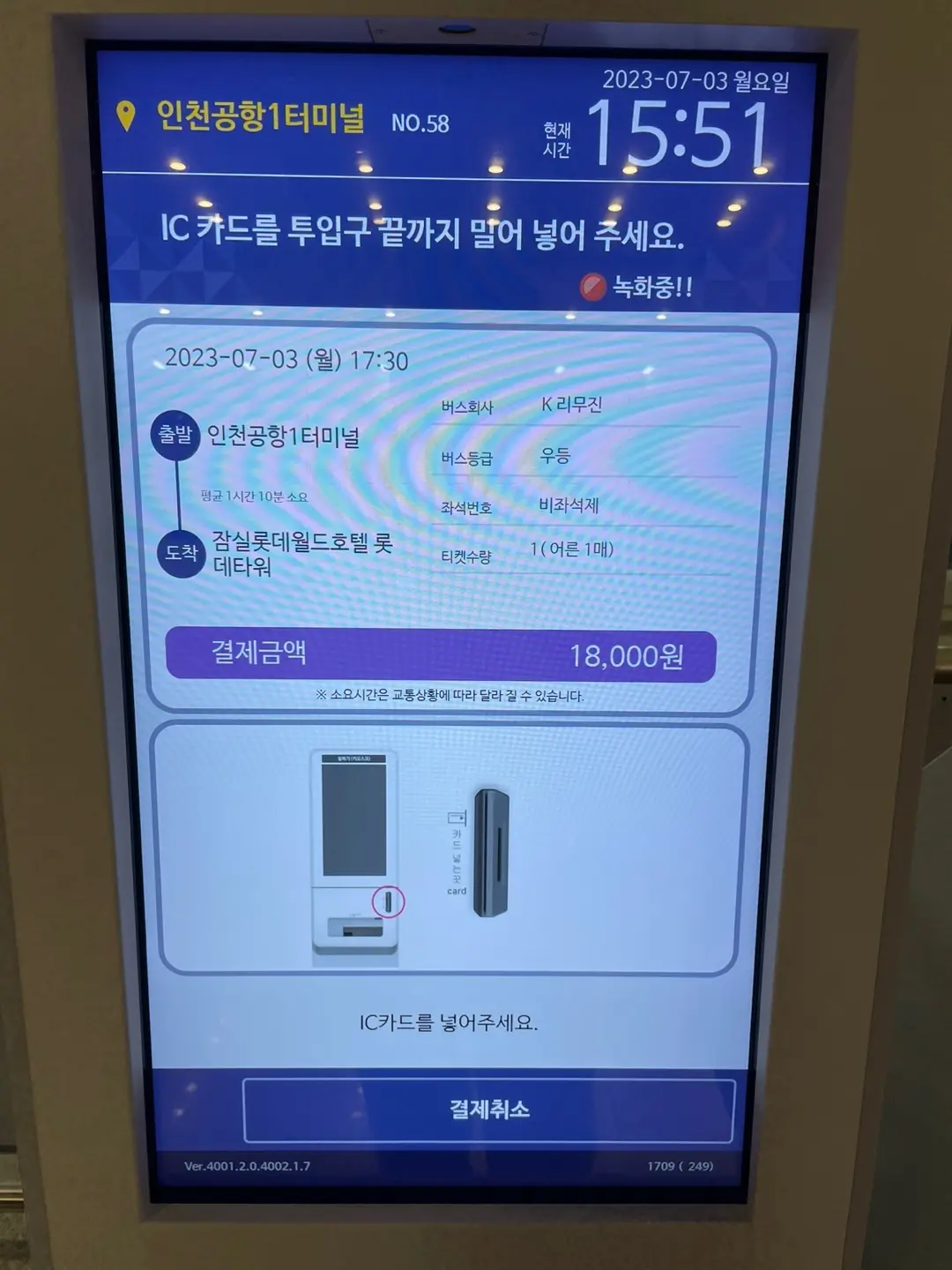
Review the amount and pay by card.
After payment, your ticket prints automatically.
Important: Double-check the route number, destination, and departure time on the ticket.
Exchange a reserved ticket
1. Enter reservation detailsSelect the reservation exchange option and enter your booking number or phone number used during reservation.
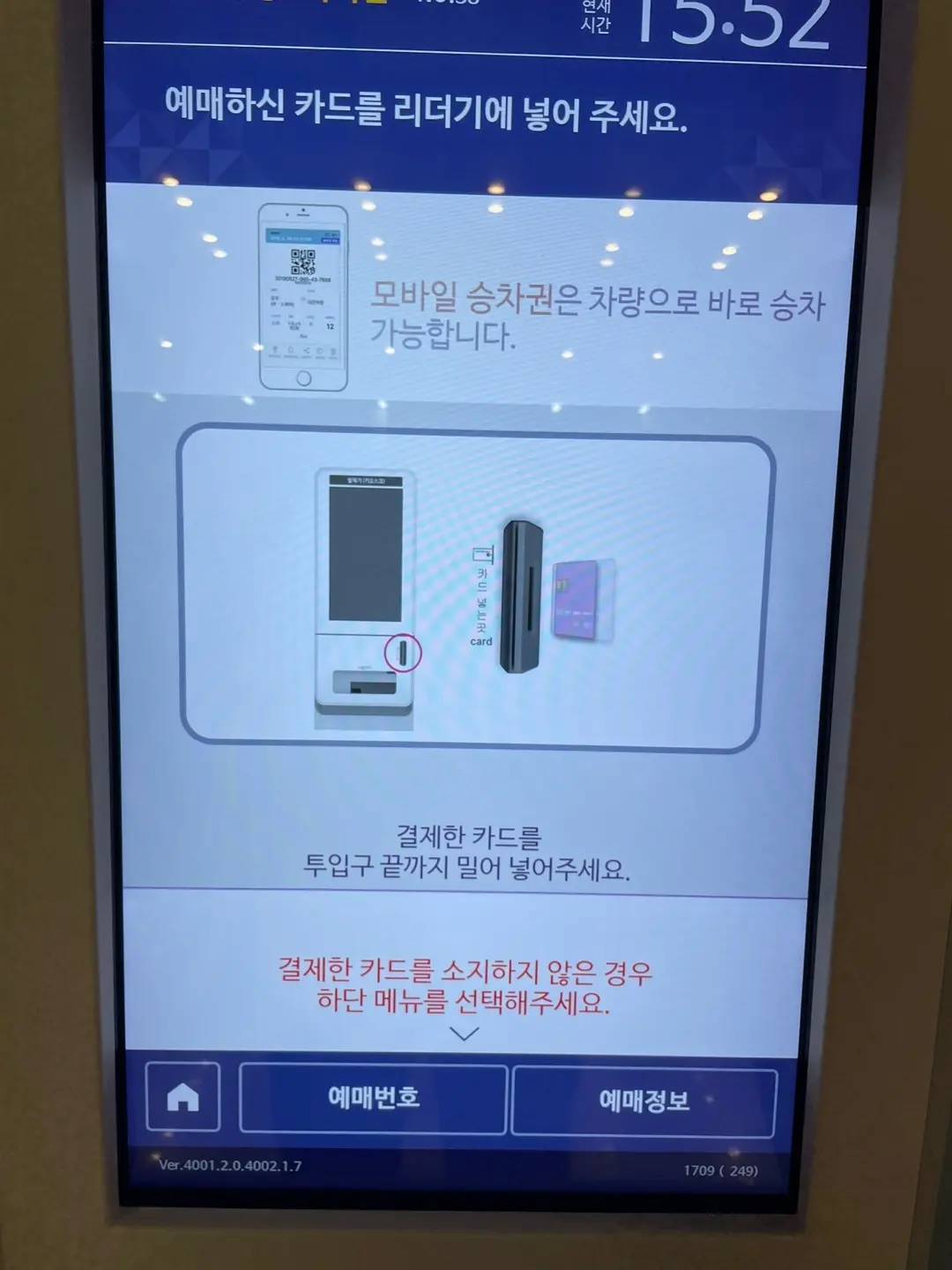
Reservation lookup screen.
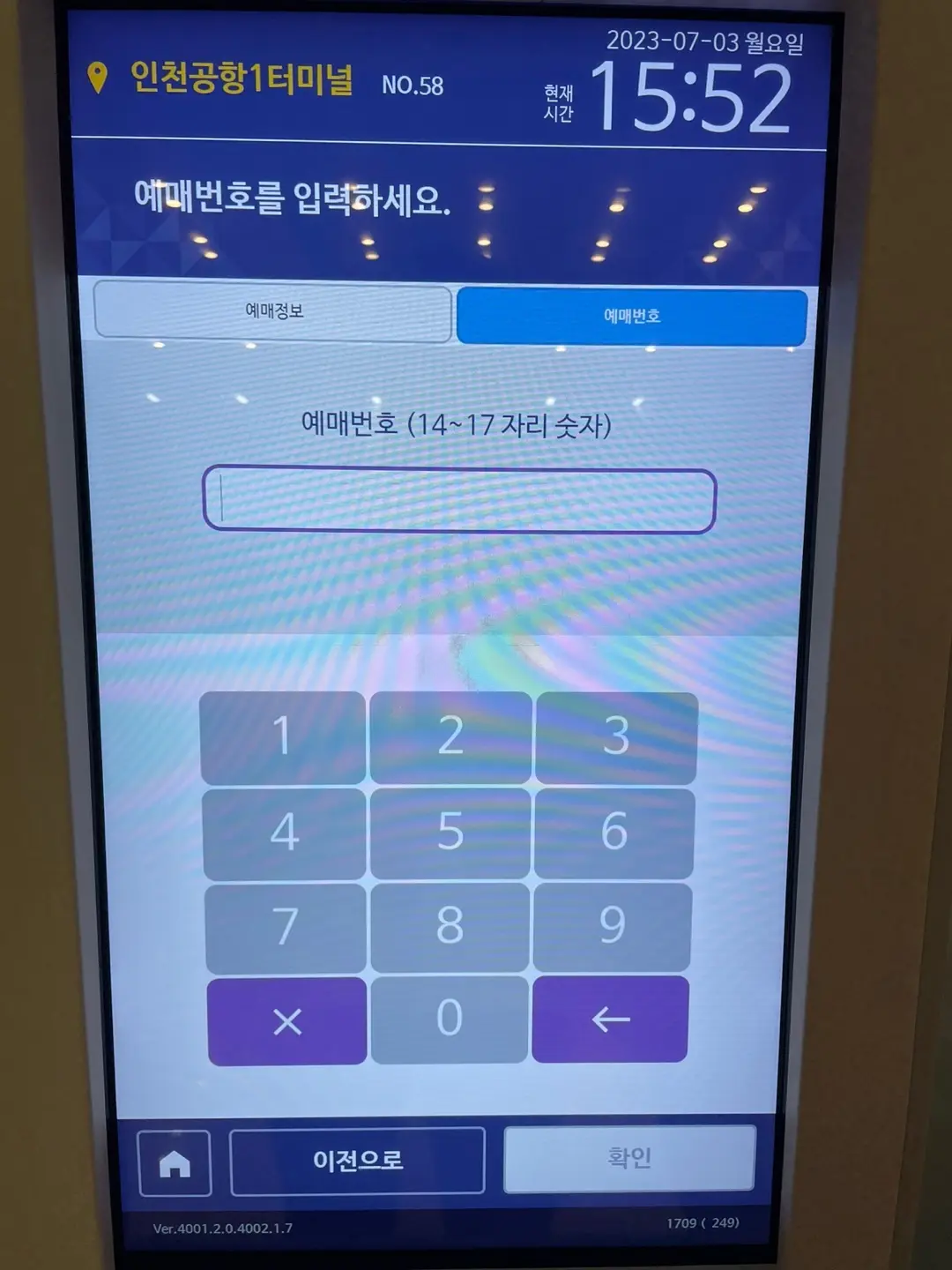
Enter your reservation number.
2. Collect your ticketAfter confirmation, the kiosk prints your ticket.
Important: Double-check the route number, destination, and departure time on the ticket.
Notes and tips
Card payments
Most kiosks accept cards only. If you need cash payment, use the staffed ticket counter.
Online or mobile reservations
If you booked online, prepare your booking number or QR code. Some routes allow direct boarding without exchange, so check the booking instructions carefully.
Device issues
If the kiosk is not working or you need help, ask airport staff near the bus counters. They can assist with ticketing.
You are ready to buy airport bus tickets quickly and easily at Incheon Airport.
We hope this guide makes your journey smoother.
Check again on the day
Boarding-bay numbers, ticket-counter locations and operating procedures can change. On the day, follow the official Incheon Airport information, live signs and airport staff. After using the ticket machine, confirm the route, departure time and boarding location printed on the ticket.